Starter
Free
- 5,000 messages / month
- 3,000 contacts
- 2 team members
- 1 WhatsApp number
- Shared inbox
- Approved-template campaigns
- Template center
- Workflows

Built on Meta’s official WhatsApp Cloud API
Import your contact list, send Meta-approved templates to people who opted in, and answer every reply from one inbox with your whole team. Built on the official WhatsApp Business Cloud API.
You need a Meta Business account and a phone number that is not used in the WhatsApp app.
How it works
Paste your WhatsApp Business Account ID and token from Meta. WADesk checks them with Meta before it marks the number connected.
Drop in an Excel or CSV file. Columns are matched for you, local numbers get your country code, and repeated numbers are merged.
Pick an approved template, test it on your own phone, then send. Replies land in the shared inbox for your team.
Shared inbox
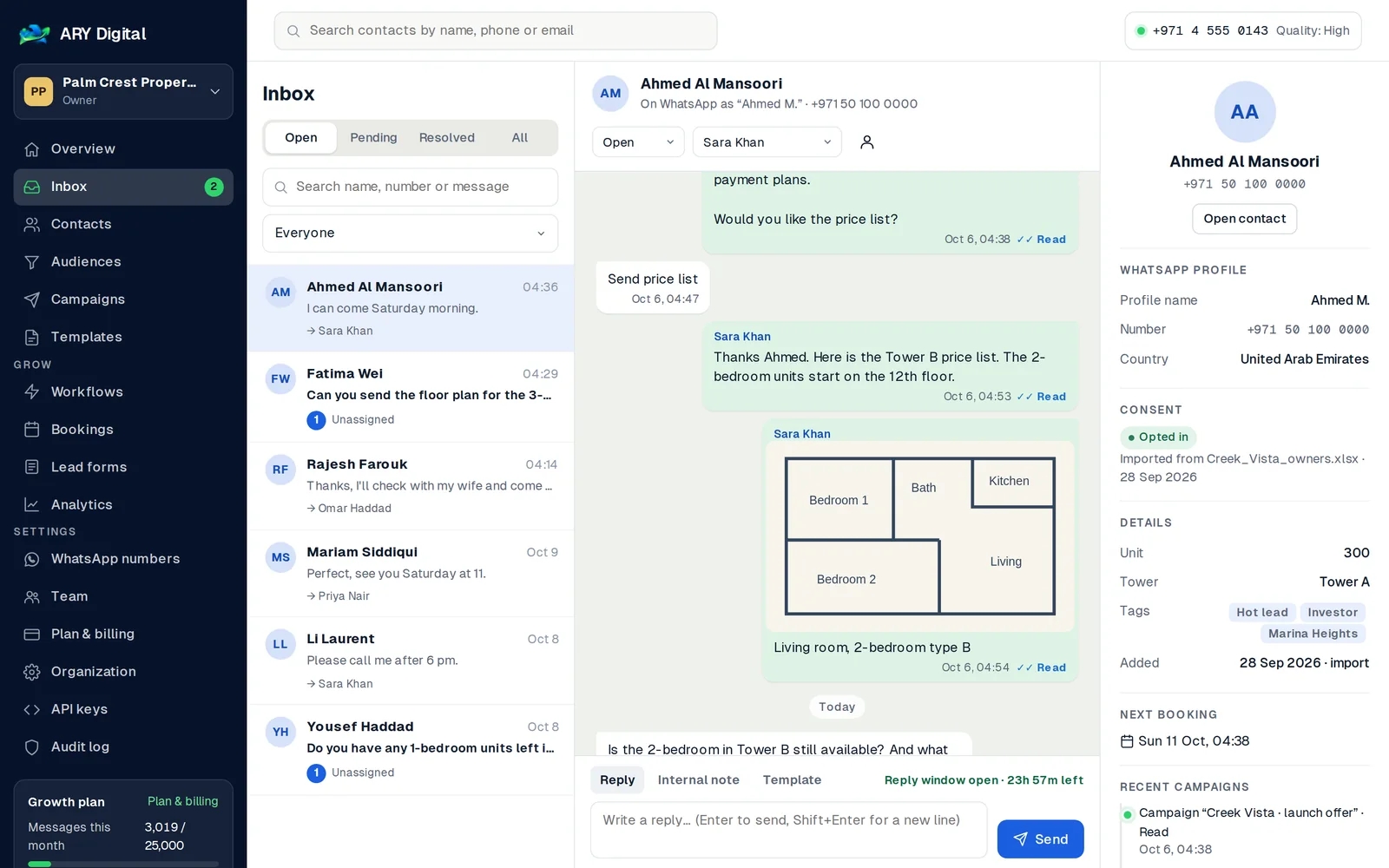
Assign chats, leave notes your customer never sees, and see photos, floor plans and PDFs right in the conversation. The 24-hour reply window is shown on every chat.
Campaigns
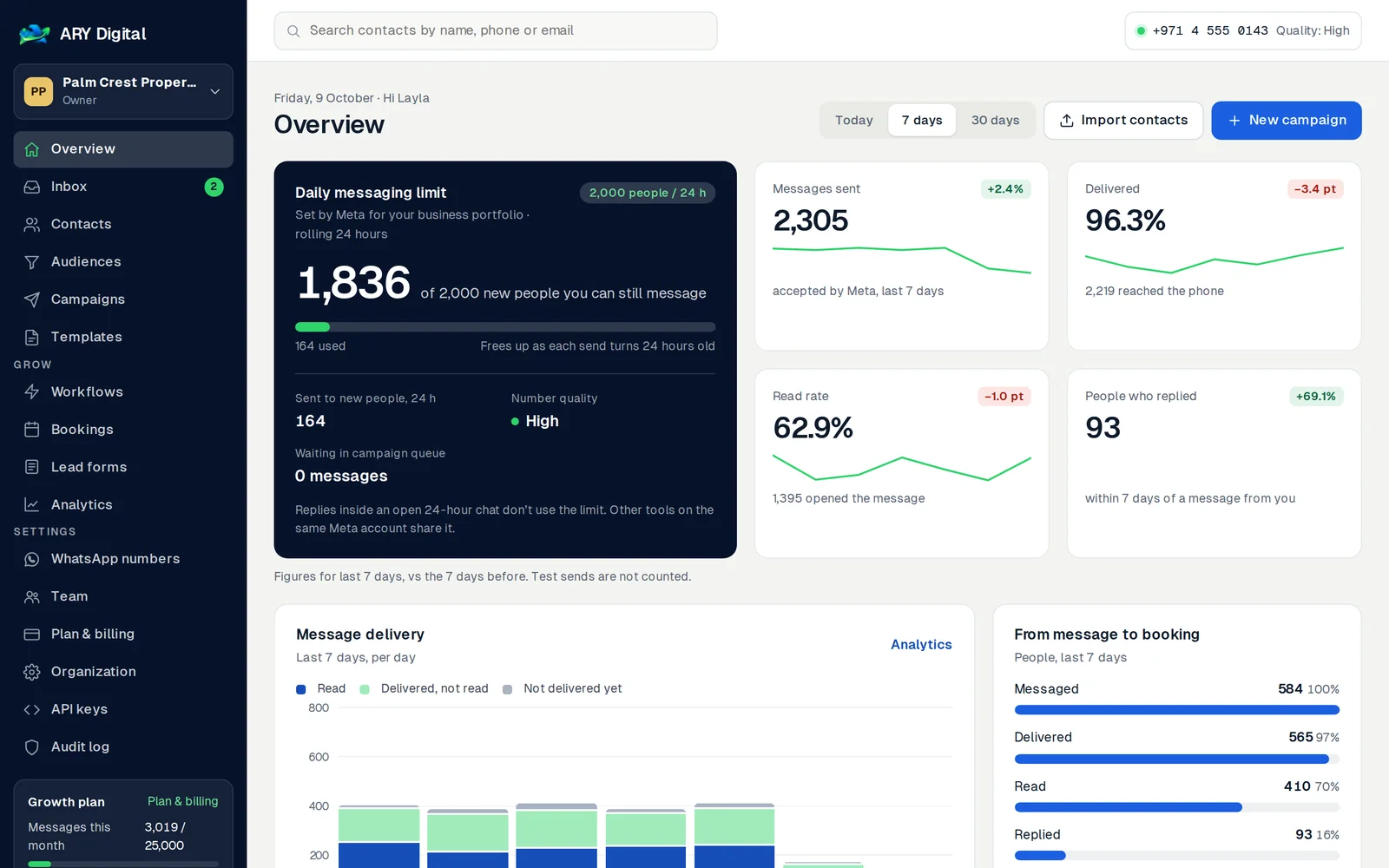
Meta limits how many new people a business can message in 24 hours. WADesk reads your limit from Meta, tells you how long a list will take, then pauses and carries on by itself so your number stays healthy.
Contact import
Columns like “OWNER NAME” and “MOBILE” are recognised. Numbers written as 050… get your country code. An owner listed on five rows becomes one contact with all five units kept.
Sample data
Made for real estate
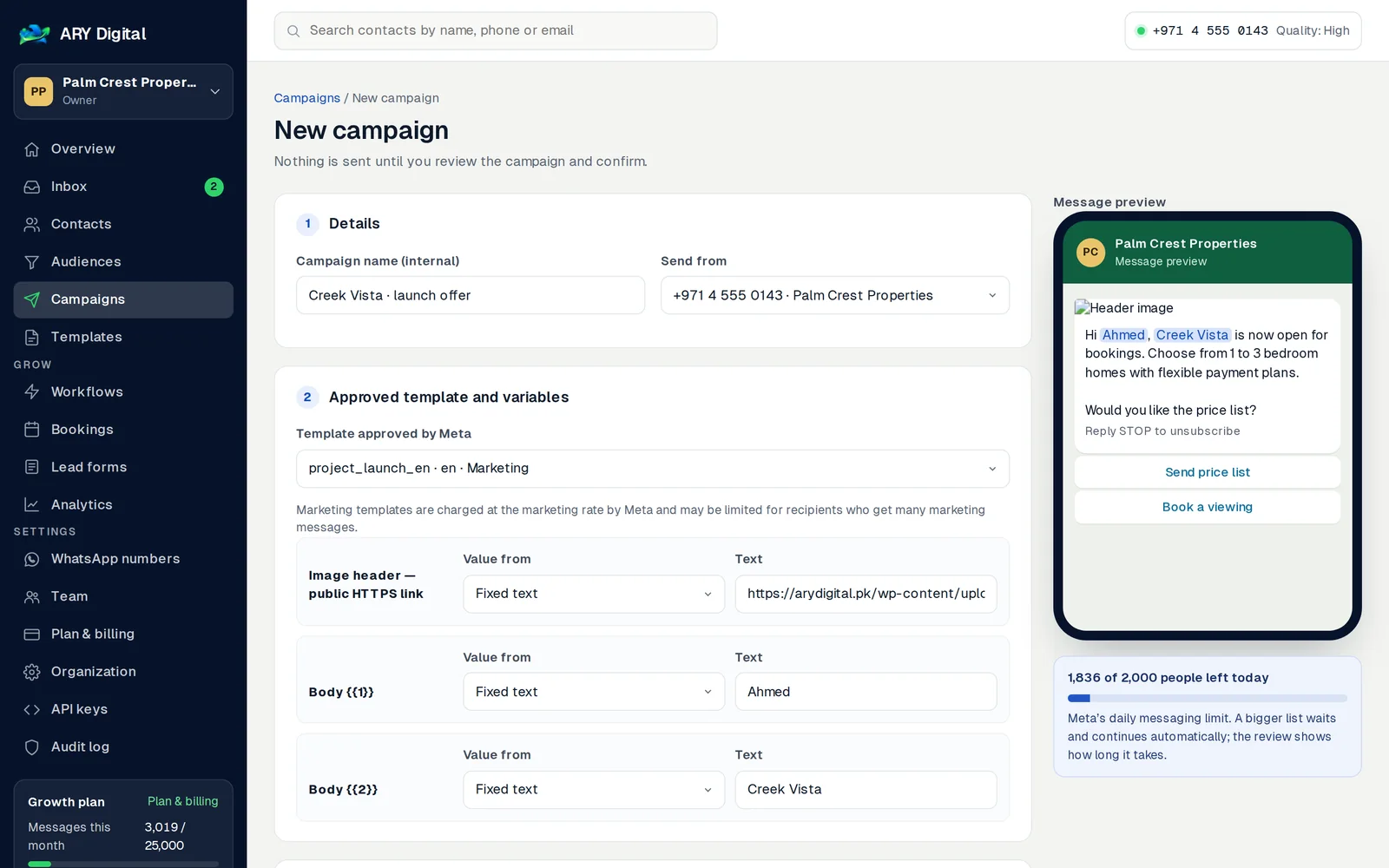
Real estate templates in English and Arabic, written to Meta’s guidelines. Edit the wording, submit, and use them as soon as Meta approves them.
Hi Sara, Creek Vista is now open for bookings: 1 to 3 bedroom homes with a payment plan. Would you like the price list?
Send price listHi Omar, your viewing at Marina Heights is confirmed for Saturday at 11:00. Priya will meet you at the sales centre.
Get directionsHi Li, this is a reminder that instalment 4 for unit 1402 is due on 15 October. If you have already paid, please ignore this message.
Payment detailsStraight answers
Pricing
WhatsApp conversation charges are billed by Meta to your own Meta account and are not included.
Free
USD 49/ month
USD 99/ month
USD 249/ month
New organizations start on the default plan. To move to a paid plan, contact us — plans are activated after payment is confirmed.
Questions
Yes. WADesk connects to the official WhatsApp Business Cloud API using your own WhatsApp Business Account, phone number ID and access token. Creating an account in Meta does not connect it to WADesk automatically — you add the details in WhatsApp setup and run a connection test.
No. Outside the 24-hour customer service window WhatsApp requires an approved message template, and campaigns only go to contacts with a recorded opt-in.
Yes. Contacts, conversations, templates, campaigns and Meta credentials belong to one organization and are only visible to its members.
Plans are assigned by the platform operator. If the operator connects Stripe, owners can upgrade through Stripe Checkout; a plan only changes after Stripe confirms payment.
Create an organization in a minute. Connect your Meta account when you are ready.